
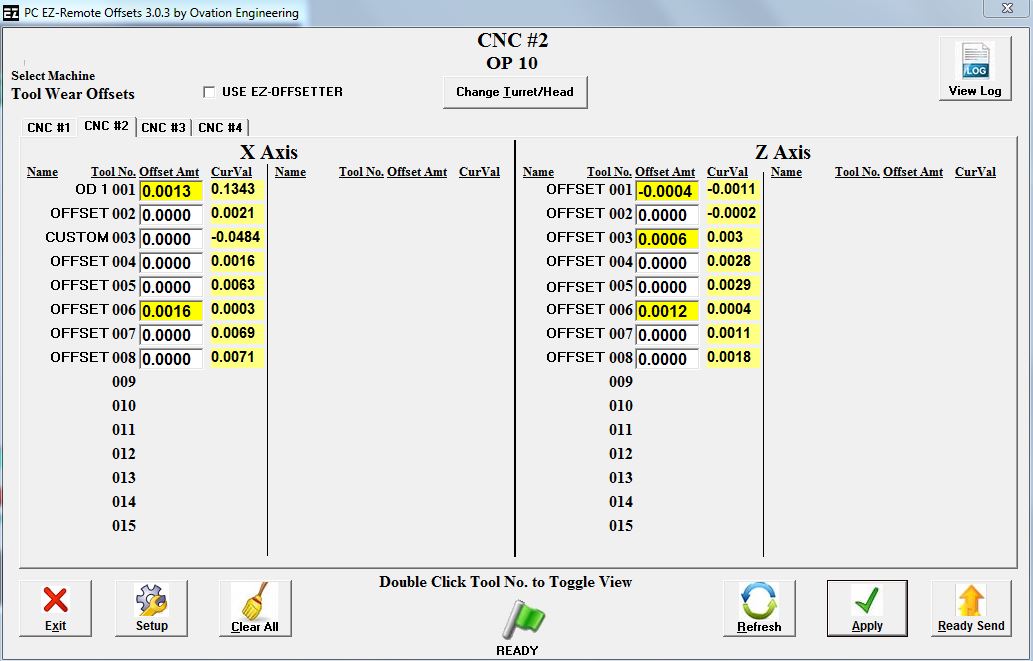
The Ovation Engineering PC EZ-Remote Tool Offset Compensation System allows the user to manually change CNC Tool wear offsets on up to 8 machines without accessing the CNC operator panel. This can now be done with a PC from a remote location such as outside of an automated work cell containing robotics. This eliminates unnecessary downtime that may result from shutting down automation in order to safely enter the cell.
Features
- Send remote data to wear, work, or geometry offsets as well as macro variables
- Simple and intuitive setup area
- EZ-Offset feature for quick and easy offsets
- Real-time display of machine values (Ethernet based connections)
- Quickly tab between multiple machines
- Send a single or multiple offsets at a time
- Data verification after a send
- The CNC panel can still be used at any time along with the PC EZ-Remote
- Daily offset logs in CSV files for easy data history collection
- Proven Reliability with over 10 years of providing our customers with a reliable PC based remote offset solution
Setup
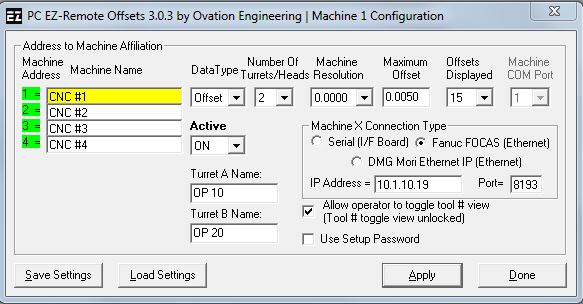
- Simple and intuitive setup area to quickly configure each machine's attributes and connectivity
- Select how many Offsets or Macro Variables to be displayed
- Administrative password (if desired)
- Use custom naming for each machine and turret/head
- Set a maximum offset amount in the event erroneous or large values are sent
Quick and EZ-Offset Feature
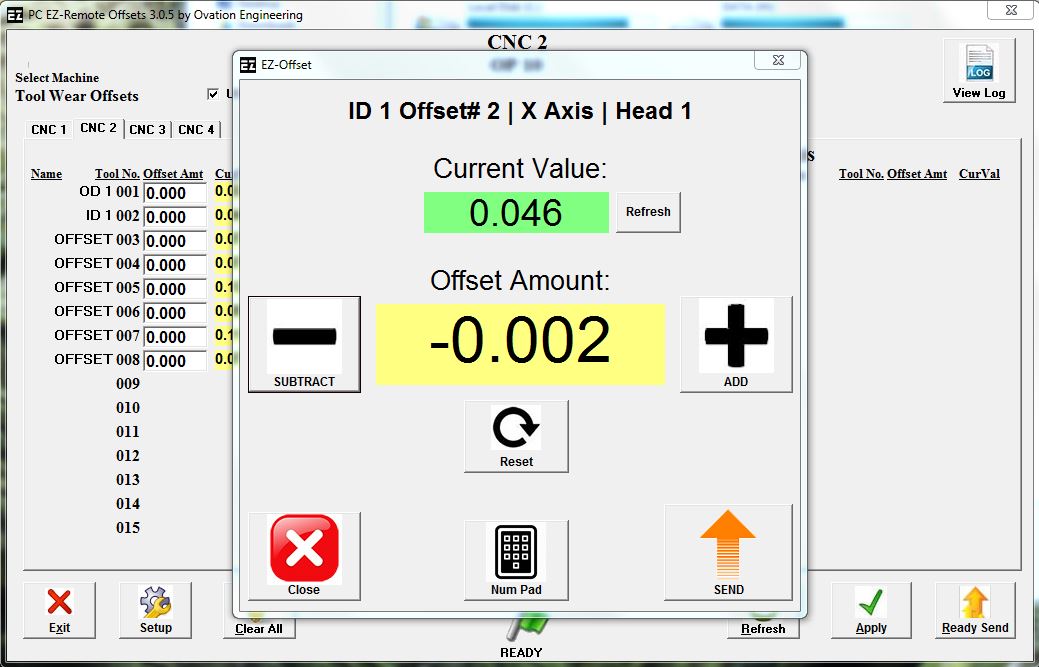
- Operators can use the EZ-Offset feature to make easy, fast, small and most importantly, ACCURATE offsets. Because the Add and Subtract buttons are used, operators are less likely to mistype offset data values. Offsets are incremental. Each click represents the smallest resolution amount of the machine. Just click to the desired offset amount and then click send. Using a mouse or a touch screen, PC EZ-Remote Easy Offset feature make offsetting quick and easy.
Real-Time Display
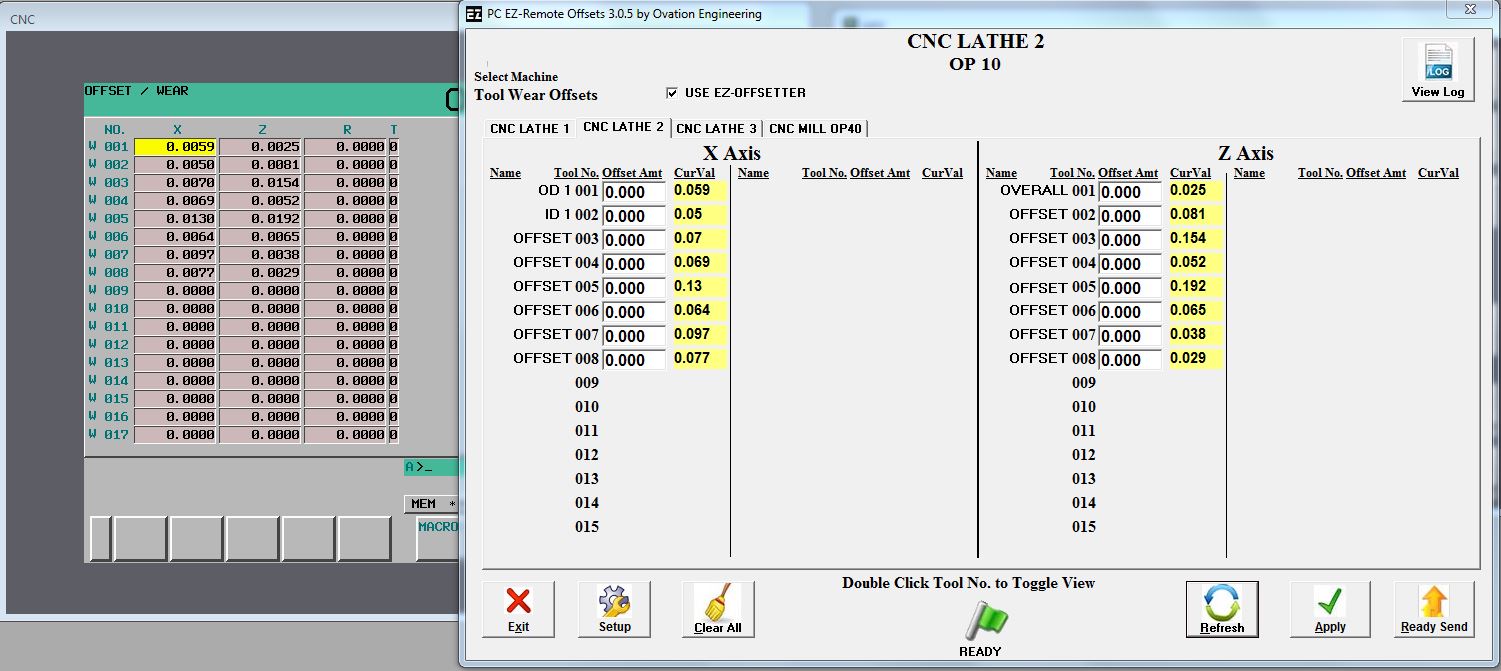
- Real-time display of machine values (Ethernet based connections)
Data Confirmation
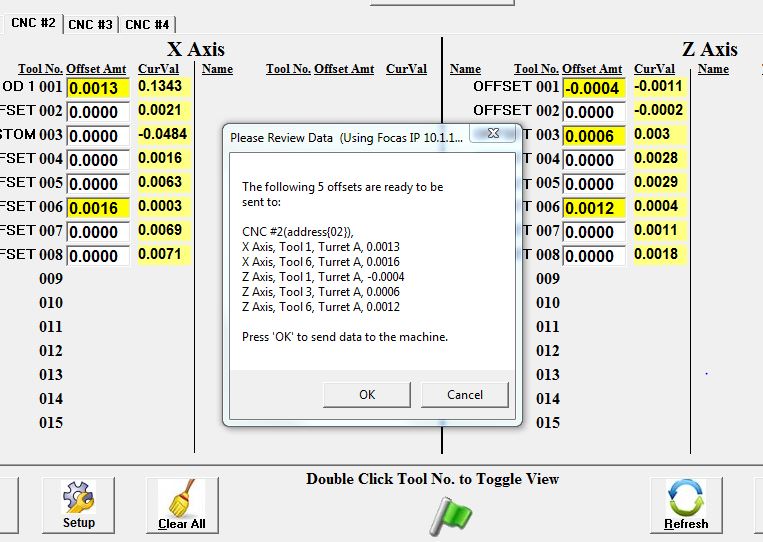
- Operators must confirm data before multiple offset values are sent to the machine
Custom Naming
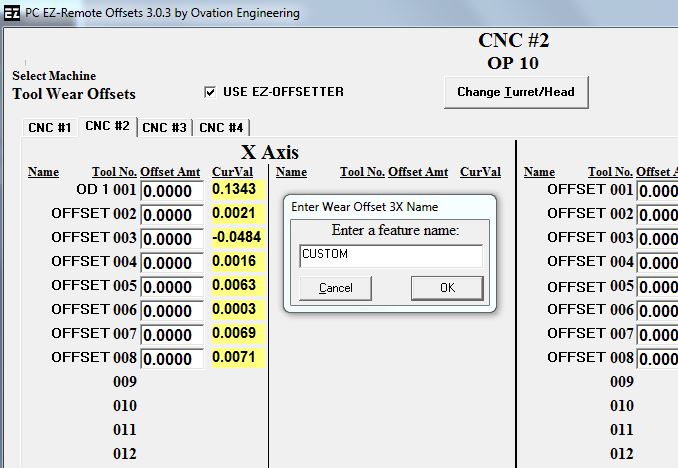
- Use custom naming for each offset or macro variable
- Allows the operator to quickly and easily recognize which features to adjust
Offset History Files
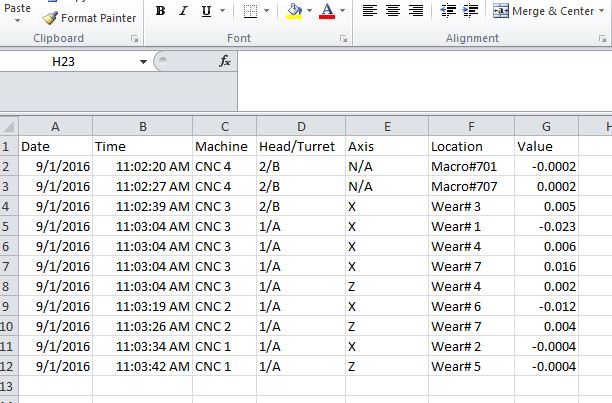
- PC EZ-Remote offset history files are easy to incorporate into data collection.
Proven Reliability
- Ovation Engineering has providing Remote Offset solutions to CNC machines for over 25 years.